

Have you ever discussed a topic and, within hours, noticed an Instagram ad monitoring it? Instagram tracks more than just your app usage, so you’re not dreaming. Instagram tracking is still gathering a lot of data in 2025 through location access, off-site tracking, and app integrations that the majority of users aren’t even aware exist.
Here are 5 tried-and-true, simple ways to restore your privacy and these can solve your question of “How to stop Instagram from tracking you”? and monitoring your online activities in this privacy-first Instagram tutorial. These are not merely theoretical suggestions — they are actionable steps that can be implemented immediately.
Why Instagram Tracks You and What Data It Collects
The business model of Instagram is centered on data. The more it understands you, the better it can show you ads and guess what you like. That’s why Instagram data tracking is much more than just your likes and follows. Knowing how much data Instagram collects can help you choose the right Instagram privacy settings.
Instagram Activity On and Off the App
Your journey with Instagram data collection begins the moment you open the app. This includes likes, follows, reels viewed, comments made, and even the duration of your engagement with particular posts.
However, here’s what’s important: this information is shared across Meta privacy Platforms, such as Facebook, WhatsApp, and Messenger. While Instagram silently learns from your actions, your Instagram web activity helps advertisers create a full profile of you.
Off-Meta Tracking and Third-Party Data
Even when you’re not using the app, your online activity can still be tracked through off-Meta technologies, such as your website visits, shopping carts, and clicks. For instance, if you go to a clothing website that uses Instagram’s shopping tools, it continues to monitor your activity, even if you don’t click on an advertisement. This third-party tracking on Instagram creates profiles of your preferences and behaviors.
Device, Location & Permissions
If you’ve ever wondered, “Is Instagram tracking my location?” — the answer is yes, if you’ve granted permission. Instagram can use your location tracking, IP address, GPS, operating system, type of device, and even your Wi-Fi network to figure out where you are, when you are there, and what you are doing.
Instagram uses this information to show you personalized ads and to keep you engaged in the app. To stop Instagram tracking, you must understand how it operates.
5 Proven Methods to Stop Instagram Tracking in 2025
Ready to take control? Here are 5 actionable methods that will work well and protect your data to stay safe online in 2025 by protecting yourself from Instagram’s extensive tracking system.
Method 1: Disconnect “Activity Off Meta Technologies”
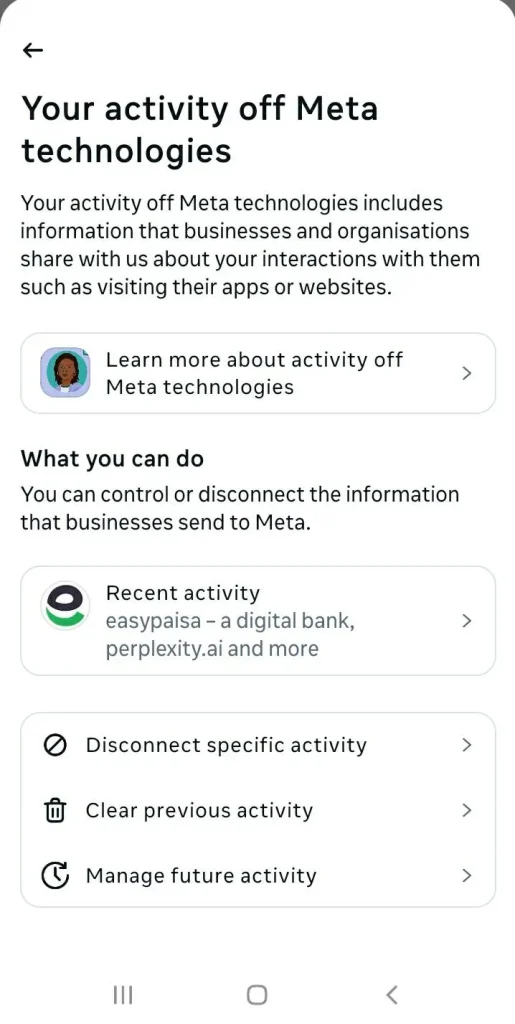
The most important step is managing activity off Meta technologies. This feature controls how Instagram utilizes information from other apps and websites. Follow the steps given below:
- Open the Instagram App and go to Settings and Privacy.
- Navigate to the Instagram Account Center.
- From there, select “Your information and permissions”.
- Find the section “Activity off meta technologies”.
Here you will have two crucial steps:
- First, you can click Clear previous activity to wipe the slate clean.
- Second, you can “Manage Future Activity” and then “Disconnect future activity.”
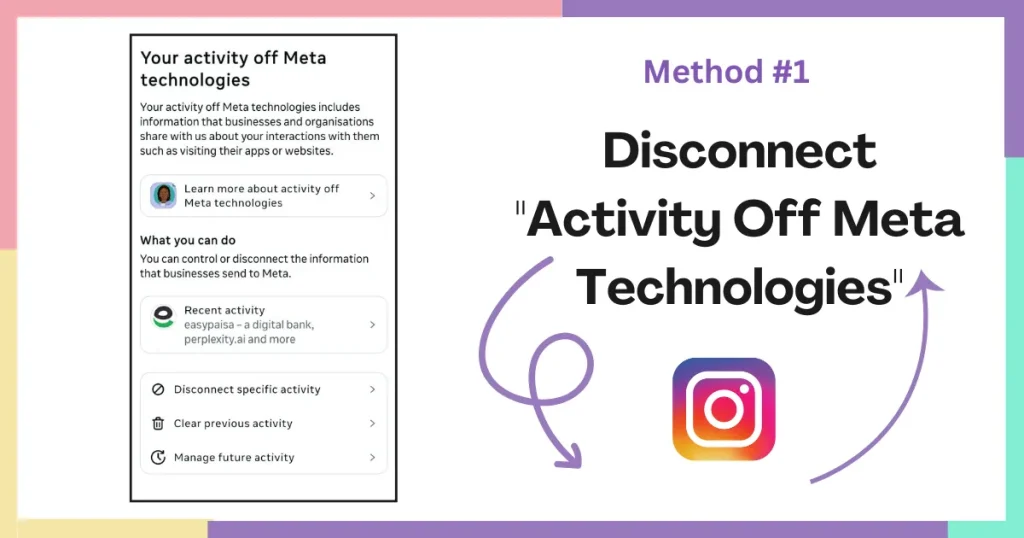
This is the best way to clear Instagram data and turn off third-party tracking on Instagram gathered from third-party sites, and prevent them from sharing more in the future. Ads will still appear, but will be less ominous and tailored to your most recent web activity.
Method 2: Control Ad Preferences and Partner Activity
To find out what advertisers know about you, simply go to your Instagram ad preferences. Many users are unaware that they can prevent advertisers from using Instagram data.
- Visit Ad Preferences under the Accounts Center
- Remove topics that don’t reflect your interests
- Check “Advertisers You’ve Seen” and disable unnecessary ones
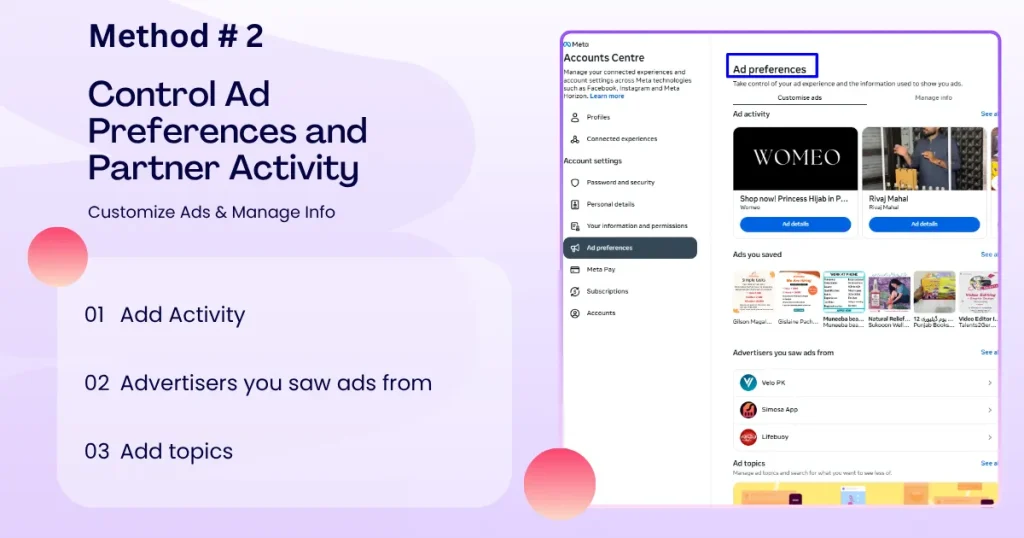
This reduces the number of targeted ads you see on Instagram. It also helps to stop Instagram from tracking you based on guesses.
Method 3: Restrict App Permissions on Your Phone
The permissions on your phone are a great way to stop Instagram location access and using other ways to track you.
For iOS users, Apple’s App Tracking Transparency function is your greatest ally. When Instagram requests to monitor you across other apps, just choose “Ask App Not to Track.” This prevents Instagram from tracking your actions in different applications.
For Android users, manage Instagram app permissions by:
- On Android, go to Settings > Privacy
- Under Location, set Instagram to Never or Deny
- Stop access to your Microphone, Contacts, and Camera unless needed.
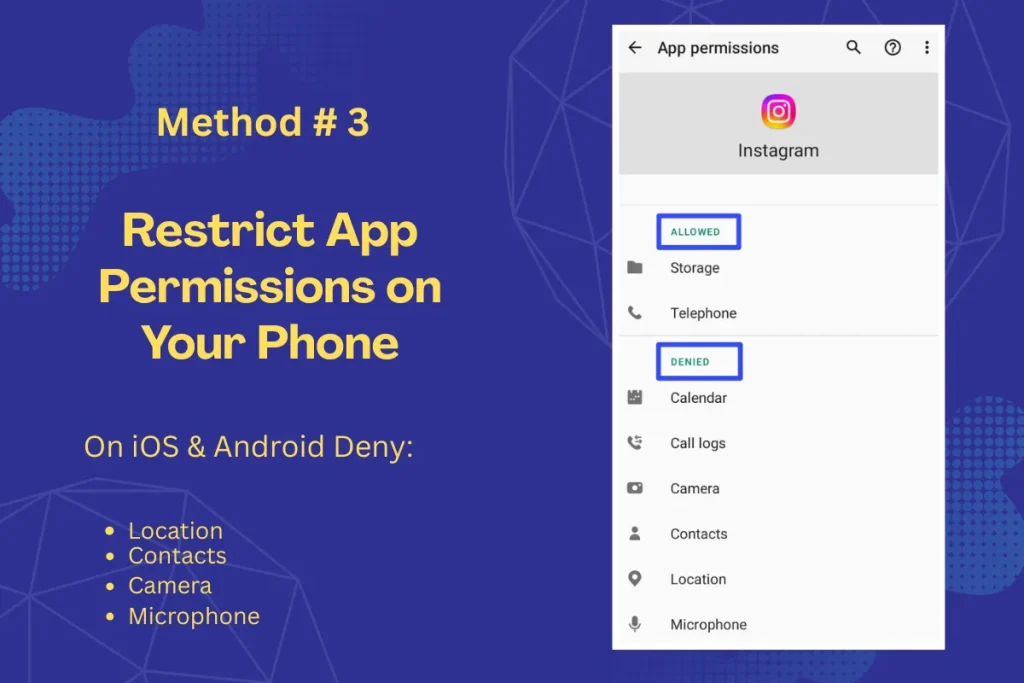
These changes could limit certain Instagram functionalities, yet they greatly enhance your privacy while you are online and want the safety of your social media. The settings on your phone are the first thing you should use to protect yourself.
Method 4: Strengthen Core Privacy Settings in Instagram
Consider your Instagram profile as your online residence; you need to lock the doors and windows. Update Instagram privacy settings to:
- Switch to a private profile to control who sees your activity
- Limit story replies to close friends only
- Disable activity status so others can’t see when you’re online
- Restrict tagging and mentions from unknown accounts
- Turn off read receipts for direct messages
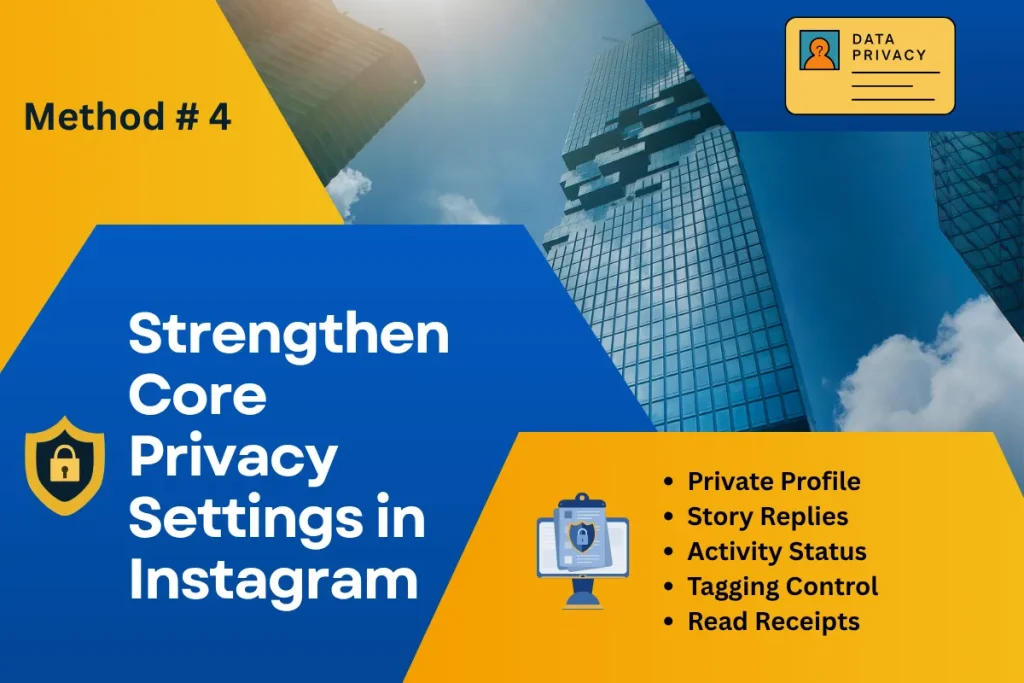
These Instagram privacy settings create Several levels of defense against unauthorized tracking and data gathering.
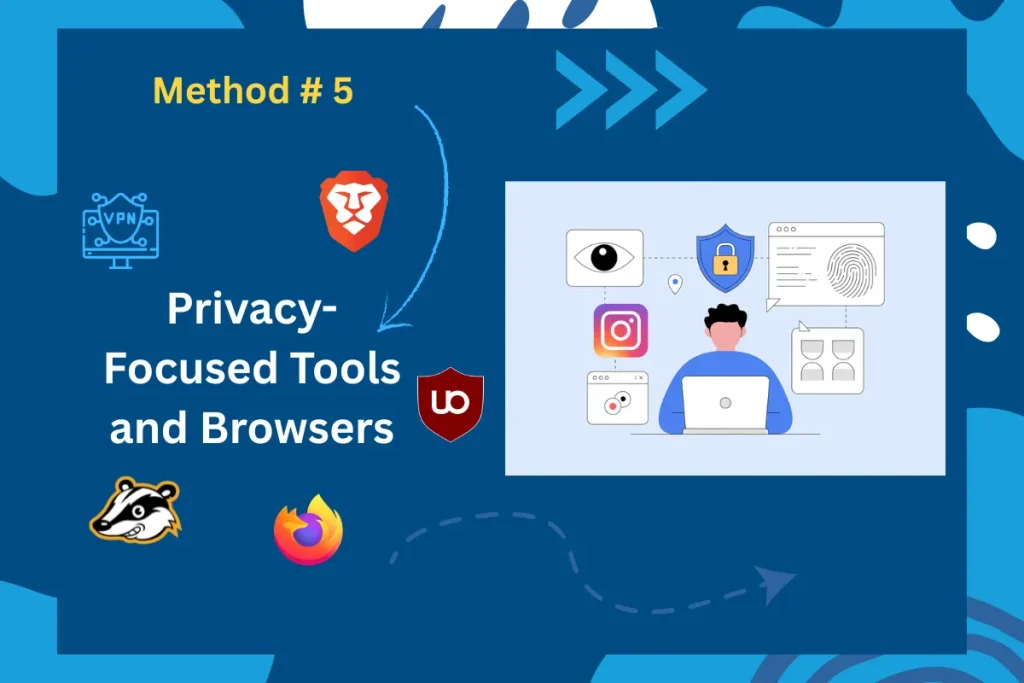
Method 5: Use Privacy-Focused Tools and Browsers
When using a web browser to access Instagram, employ social media tracking prevention tools to hinder Instagram’s attempts at web tracking.
Browsers like Brave and Firefox have anti-tracking settings that Instagram can’t get around. These browsers stop tracking scripts, automatically delete cookies, and prevent websites from tracking you across different sites.
For maximum protection:
- Utilize browser containers to separate Instagram from other online actions.
- Install privacy extensions like Privacy Badger, uBlock Origin, and more.
- Regularly clear your cookies and browsing data.
- Consider using a VPN to hide your IP address.
Bonus: How to Request and Download Your Instagram Data
If you want to discover what information Instagram has about you:
- Go to Accounts Center
- Select “Your information and permissions.”
- Click on “Download your information.”
- Pick Instagram as the product.
- Select the format and type of data you want
- Submit your request
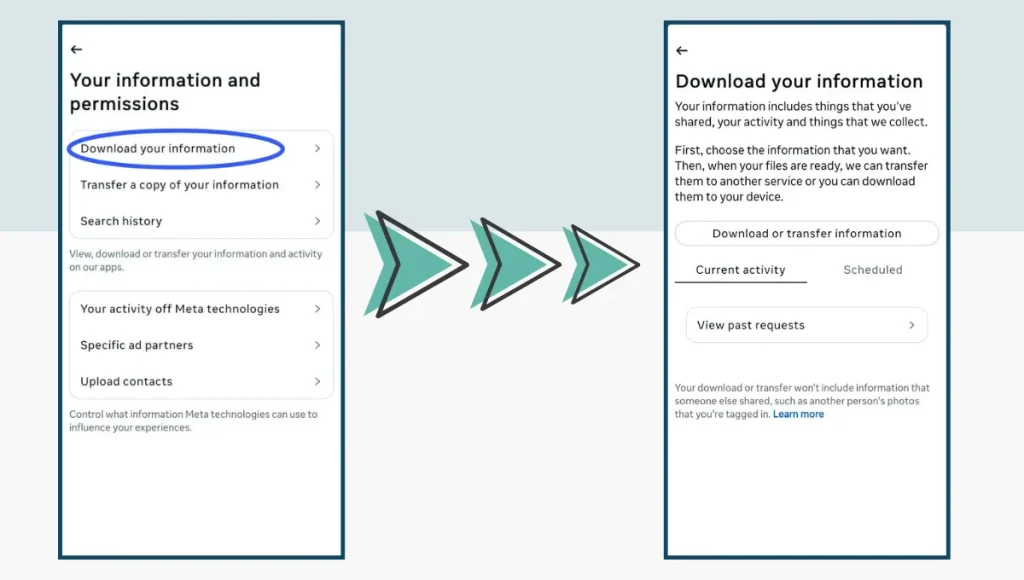
Review your Instagram information to know what information Instagram has gathered. The amount and variety of data they have collected about your online activity may surprise you.
Take Back Your Privacy in 2025
The 5 proven methods outlined above are simple yet powerful tools for modern Instagram data protection. You now know how to stop Instagram tracking and regain control over your personal information. Use this privacy-first Instagram guide as a foundation, revisit your settings regularly, and stay aware of what changes with every app update.
For even more ways to protect yourself across all social platforms, check out our guide on Free Browser Add-ons to Stay Safe on Social Media (2025). This resource highlights practical tools that can further boost your online security and privacy as you navigate the digital world.
Frequently Asked Questions About Instagram Tracking (2025)
- How do I stop being tracked on Instagram?
Go to Settings > Accounts Center > Activity off-Meta Technologies and disconnect tracking. Also, limit app permissions on your device.
- How do I turn off Instagram activity tracking?
In the Accounts Center, select Activity off-Meta Technologies and "turn off future activity". "Clear past activity" for full effect.
- How do I turn off location tracking on Instagram?Go to your phone’s Settings > Privacy > Location and deny Instagram access. This blocks GPS-based tracking.
- How do I delete Instagram tracking?In Accounts Center, clear previous activity and disconnect future activity. This deletes collected tracking data and prevents new tracking.
- Can I completely block Instagram from using my data?
Not entirely. But you can minimize it through settings and privacy tools.
- Does a VPN stop Instagram tracking?A VPN hides your IP but does not stop Instagram’s in-app tracking. It helps with location privacy but not app-based data collection
- What is Off-Meta activity?It’s data Instagram collects about you from other apps and websites. You can view, clear, or disconnect this in the Accounts Center